I did everything the install guide told me to do (run dumpling on my wii u, dump online files from a user with a linked PNID, paste the dumped otp, seeprom and mlc01 folder on the cemu folder), but whenever i go to general settings and activate my account, the game just gets stuck on the first loading screen. I don’t know what to do.
This is a common issue with playing splatoon with Cemu, I’m not sure if a solution has been found. Maybe @PN_quarky might know?
2 Likes
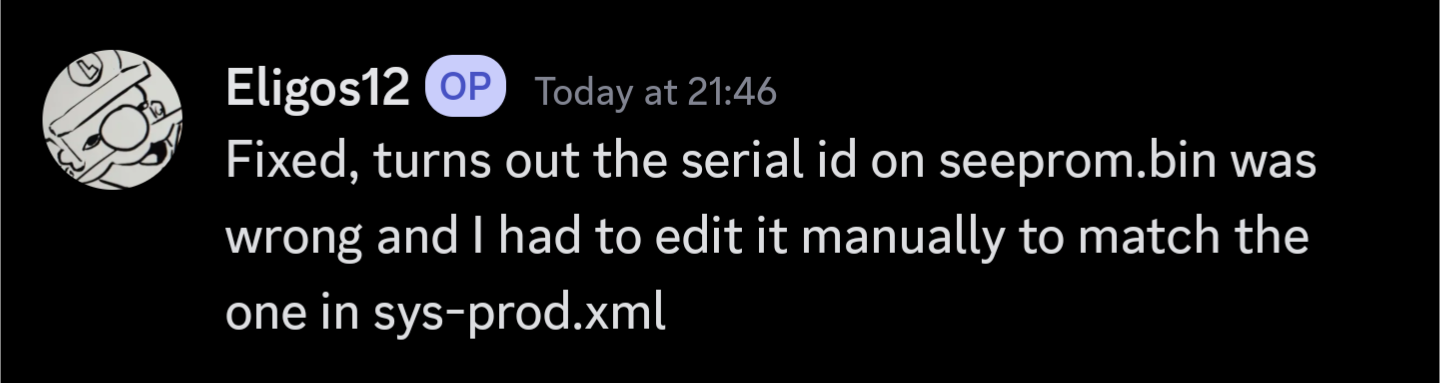
Issue resolved, see thread on Discord at Discord.
1 Like
and how you can do that please?
I’m not entirely sure.
I’ll see if I can get someone to help?
I’m experiencing the same issue. I’m using Cemu on Linux. I’m able to get through the news on my Wii.U console. Cemu doesn’t appear to be connecting to Pretendo at all, despite it being enabled and giving the valid account checkmark.
The discord thread references sys-prod.xtml or sys-prod.xml, but find command isn’t locating these within Cemu’s directory tree. The only .xml file within Cemu appears to be title_list_cache.xml.
Turns out I assumed Dumpling was dumping the currently logged in profile when it was actually dumping the first one. Appears to be sorted. No longer stuck on the initial loading screen.
1 Like