Before I begin, I would like to thank @piplupness and @PN_quarky for helping me test this, as well as some initial information posted by @numerofoxtheglaceon_ on Pretendo’s Discord server.
I initially started working on this after information was very vague on how to decode a code that the Connection Test outputs, all I had to go from when I started was a message on a Wii homebrew forum.
This is by no means complete yet, we still don’t fully know whether we’re missing anything but I am hoping that it will assist with solving issues with matchmaking online.
To play online on Pretendo Network, it is highly recommended that you have a NAT type of A or B for peer to peer communication (essentially playing online in practically all Nintendo Network games) as it indicates the best possible connection. However, unlike the Switch, the Wii U and 3DS do not display “NAT type” when testing your connection.
What does each NAT type mean?
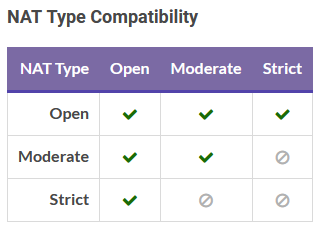
First of all, it’s worth pointing out that there are 5 different NAT types that are relevant for playing online. These are:
- A (open)
- B (moderate)
- C (strict)
- D (slightly more strict)
- F (cannot do P2P communication)
If you have C or worse, you may struggle to matchmake with other people on Pretendo. Usually, you might get 118-xxxx issues or other error codes if that’s the case when trying to play online.
You could try enabling port forwarding for every port (which can cause security risks, but Nintendo itself recommended doing that when Splatoon 3 initially launched due to people experiencing connection issues).
How do you check your NAT type on Wii U/3DS?
We found out that the Support Code that both consoles display when performing a Connection Test seems to provide information about what NAT type you’re using.
We believe these 5 are the main support codes for each NAT type (however we are aware that some others exist, like 122-00 for NAT type B, we’re not quite sure how this comes up yet):
- 11x-00 (NAT type A) (thanks
@numerofoxtheglaceon_) - 12x-00 (NAT type B) (again thanks to Numero, I was also able to reproduce this and @PN_quarky was able to reproduce this)
- 22x-00 (NAT type C) (was able to reproduce this myself on Red Bull MOBILE)
- 22x-01 (NAT type D) (thanks Numero again, also was able to reproduce this myself on O2 - UK)
- 000-99 (NAT type F) (thanks @piplupness on Iliad)
Instructions for checking the Support Code on each console are listed below.
3DS
Open System Settings > Internet Settings > Connection Settings > Choose connection > Connection Test to run a test on an internet connection. Your 3DS will attempt to connect to the access point and if successful, you should see a message saying that the connection test is successful with a support code.
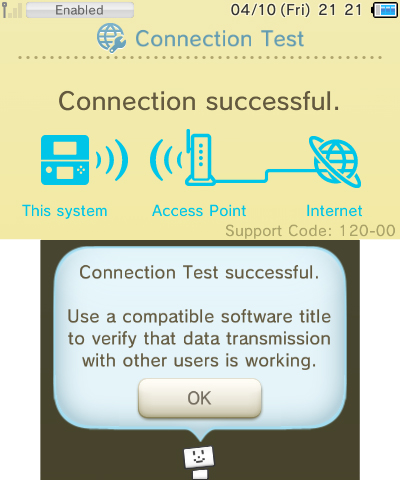
Test above was performed on a residential Virgin Media hybrid fibre coax connection, which gets NAT type B on the Nintendo Switch and 120-00 on 3DS/Wii U.
Wii U
Open System Settings > Internet > Connection to the internet > Connections > Select connection > Connection Test to run a test on an internet connection. Your Wii U will attempt to connect to the access point and if successful, you should see a message saying that the connection test is successful with a support code.
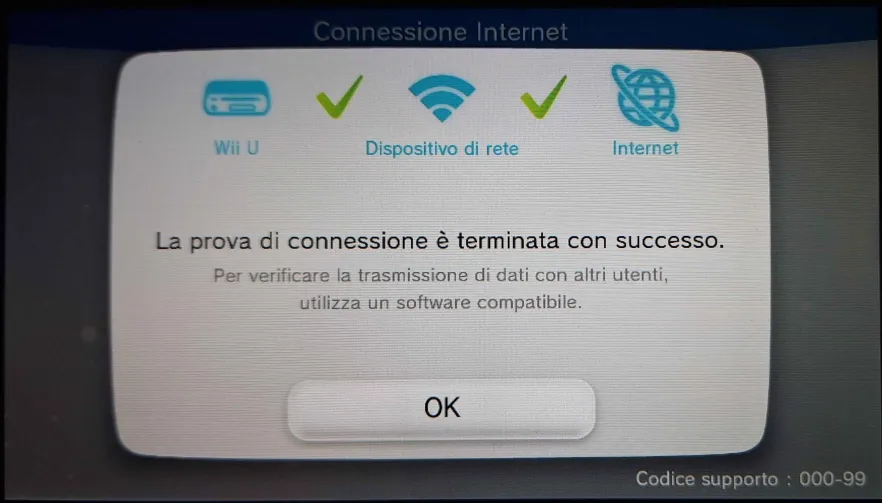
Test above was performed on an Iliad 4G+ mobile data connection (thanks @piplupness), which gets NAT type F on the Nintendo Switch and 000-99 on 3DS/Wii U.
If successful, you should now have a Support Code on your console which you can now compare with the list of codes displayed earlier. If your code corresponds to type C or worse, you can then consider enable port forwarding, switching ISP or restarting your connection to try and resolve your issue, but this might not work.
If you get any other support code than the ones listed above or you think that you could add some more information to this post, feel free to respond to it below.
How do I improve my NAT type?
There’s a variety of ways that you can improve on your NAT type, but it depends on your network condition.
Port triggering
Note
If you’re hotspotting from a phone, you won’t be able to do this.
The easiest way to improve your NAT type is to set up port triggering (it’s similar to port forwarding, which is officially recommended by Nintendo but it’s easier to set up (you can enable it for all devices at once and it’s more secure).
To start, we need to access your router settings page. This should usually be at 192.168.0.1 or 192.168.1.1 but it depends on your router (search or ask online if you’re not sure). Then, sign in with your credentials (this should be by your router).
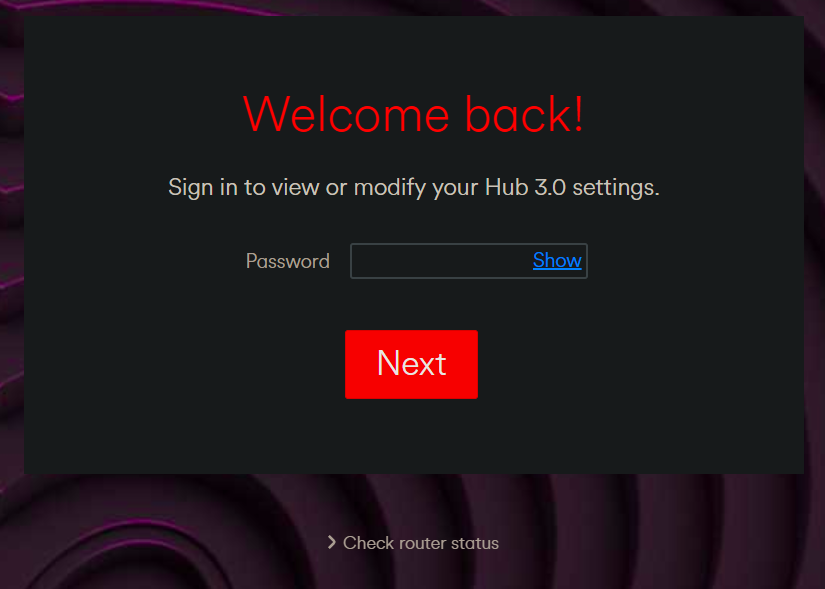
Then, we want to find your port triggering settings. On a Virgin Media Hub 3, this is in Advanced Settings > Security > Port triggering. We want to create a new rule for ports 1024-65535 for both the trigger and target, using the UDP protocol.
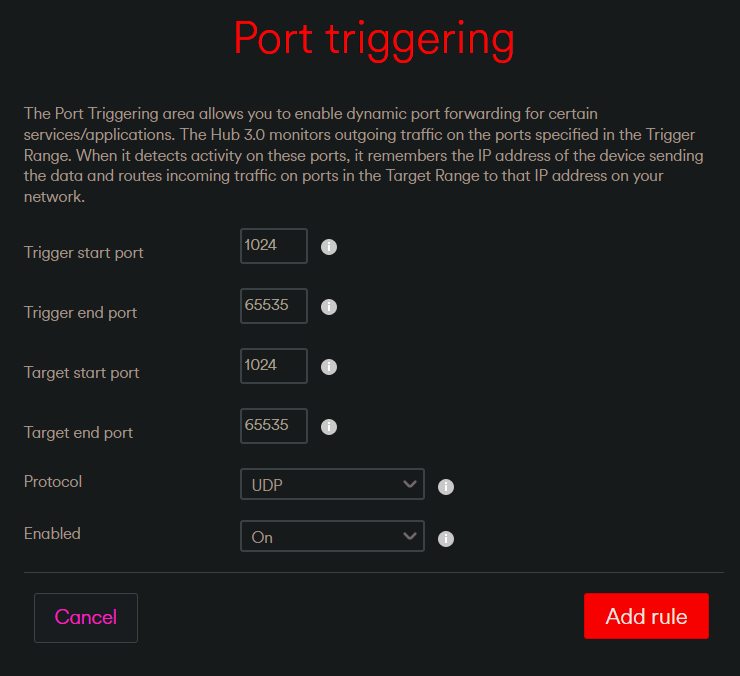
Apply the changes you’ve just made and then run a connection test on your console to see whether it’s improved (on my type B connection, it improved to type A).
Mobile connections
Usually there’s very little that you can do to improve a mobile connection if you’re tethering from a mobile phone. However, there are some APNs for some networks that allow you to get a better NAT type or you can enable some options to get a better experience. Thanks @numerofoxtheglaceon_ again for a lot of these.
- A1 AT: Purchase “A1 Mobile Dynamic IP” in your account settings
- 3 AT: Enable “Open Internet” in your account settings
- Magenta AT: Use
business.gprsinternetas your primary APN - O2 DE: Pay a one time fee of 50€ for a public IP and use
NETPUBLICas your primary APN (note: does not work on 5G Standalone connections) - Telekom DE: Use
internet.t-d1.deas your primary APN (note: does not work on 5G Standalone connections and likely won’t work in the future) - Vodafone DE: Ask customer support for a public IP (note: does not work on 5G Standalone connections)
- Wind Tre IT: Depends on whether public IPs are available, but use
myinternet.windas your primary APN - KPN NL: Use
advancedinternetas your primary APN - 3 UK: Use
3internetas your primary APN (for help, see ISPreview or Digital Spy)

